AI Studio Composer
Create professional AI-generated videos in three simple steps using the Studio Composer.
-
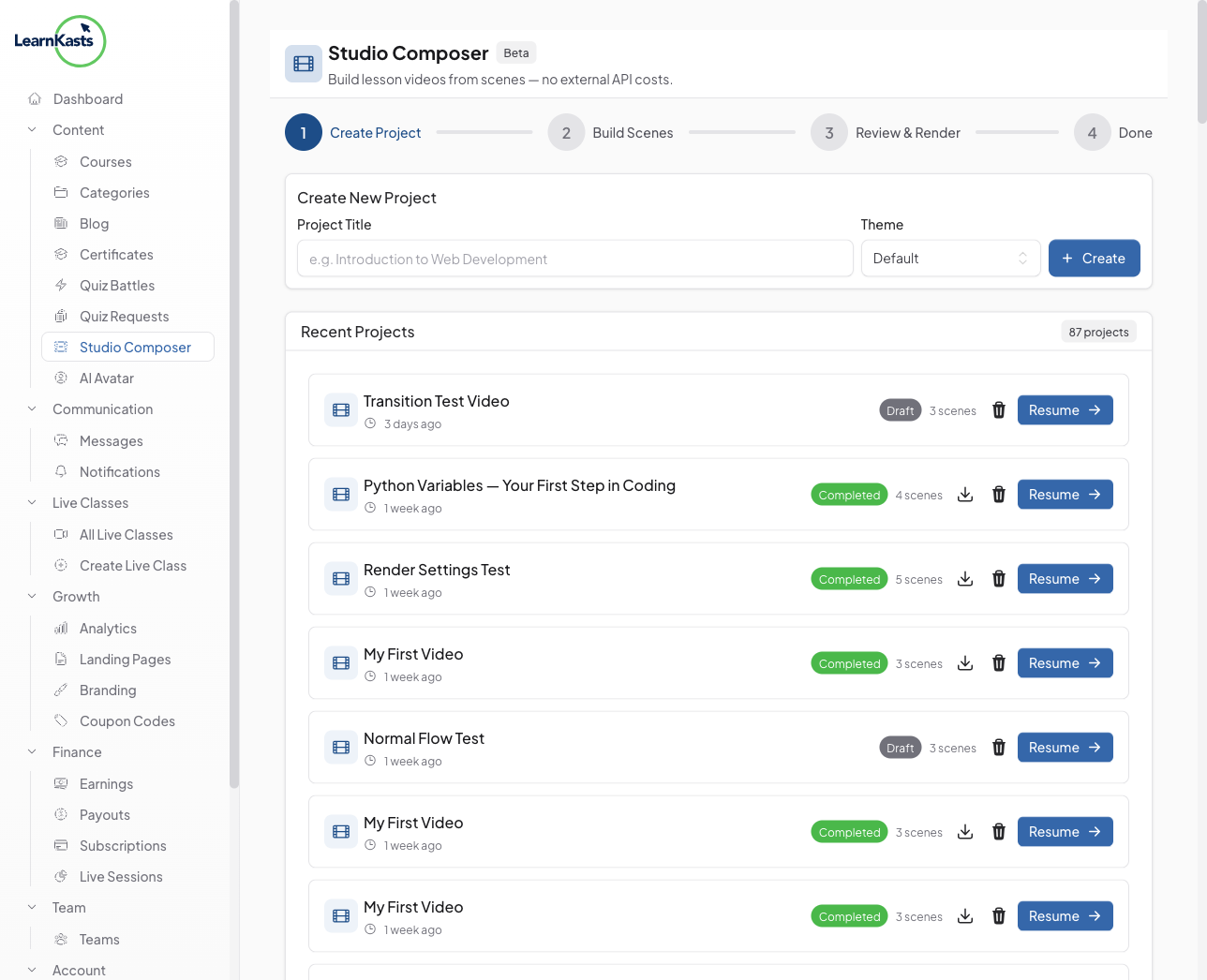
Open Studio Composer
From your educator dashboard, navigate to "AI Studio" in the sidebar. Click "New Project" to start creating a new AI-generated video. You'll see your existing projects listed with their status and creation dates.
-
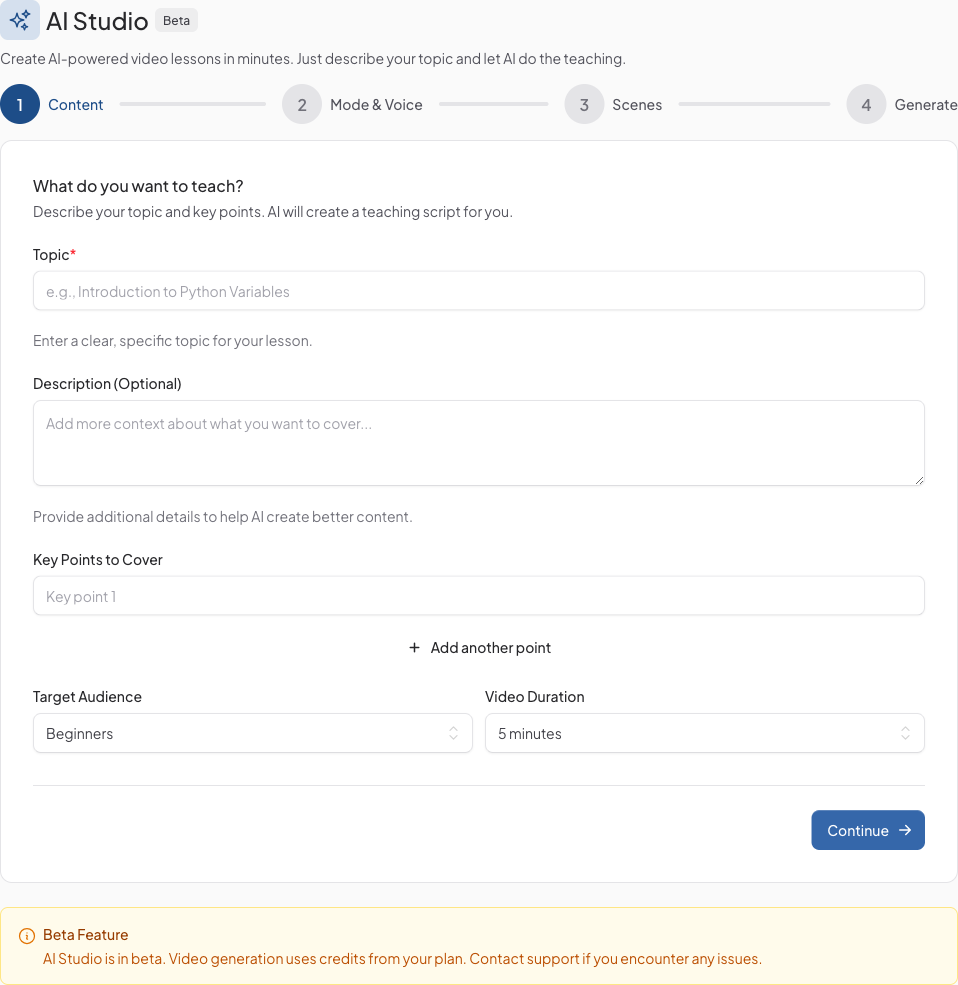
Enter your content
Give your project a title and enter the topic or script you want to turn into a video. Choose a visual theme and let the AI generate a polished script for you, or write your own. You can also select the language and tone for your content.
-
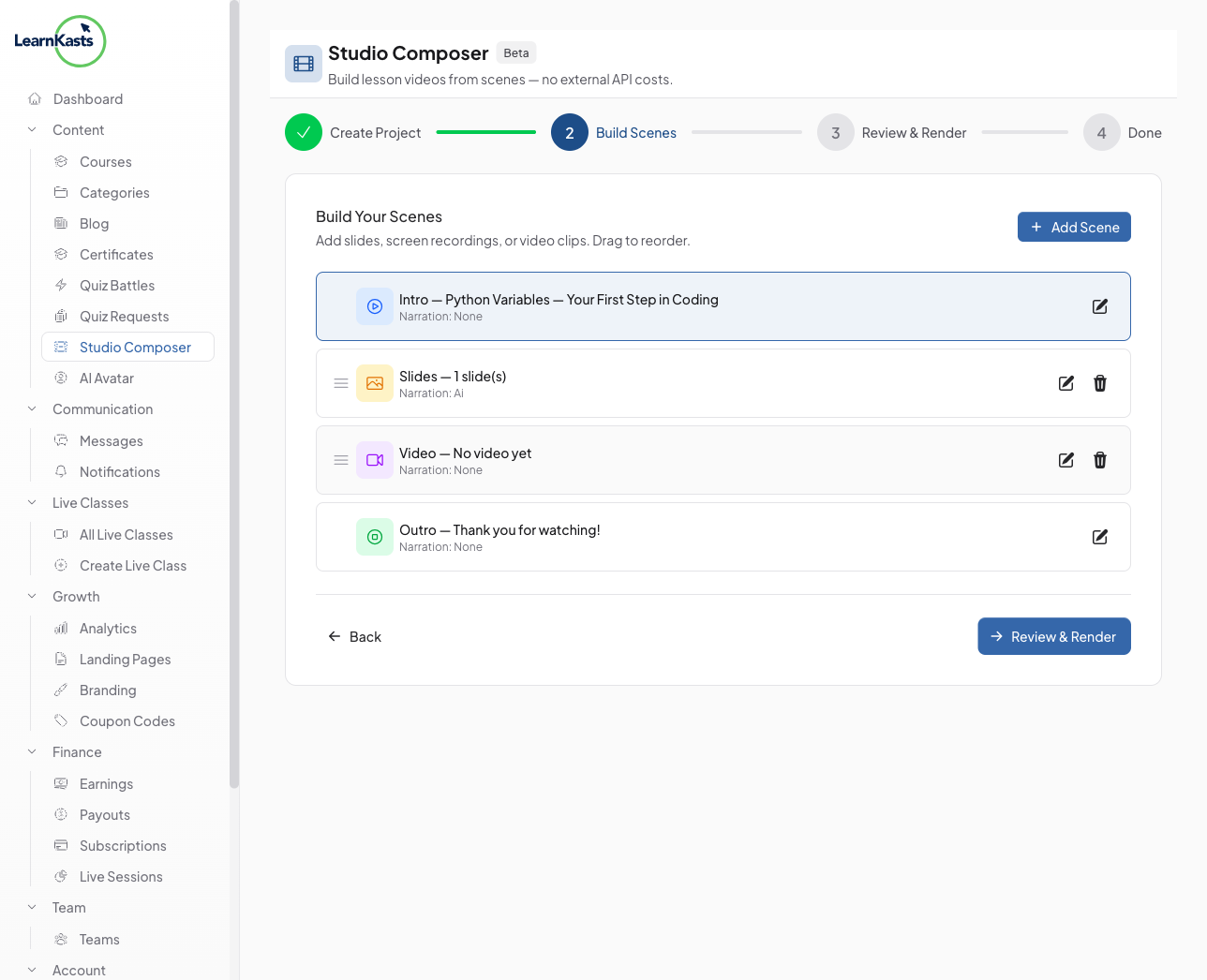
Build your scenes
The AI breaks your script into individual scenes - Intro, content slides, video segments, and Outro. You can drag and drop to reorder scenes, edit text and visuals for each one, and add or remove scenes as needed.
-
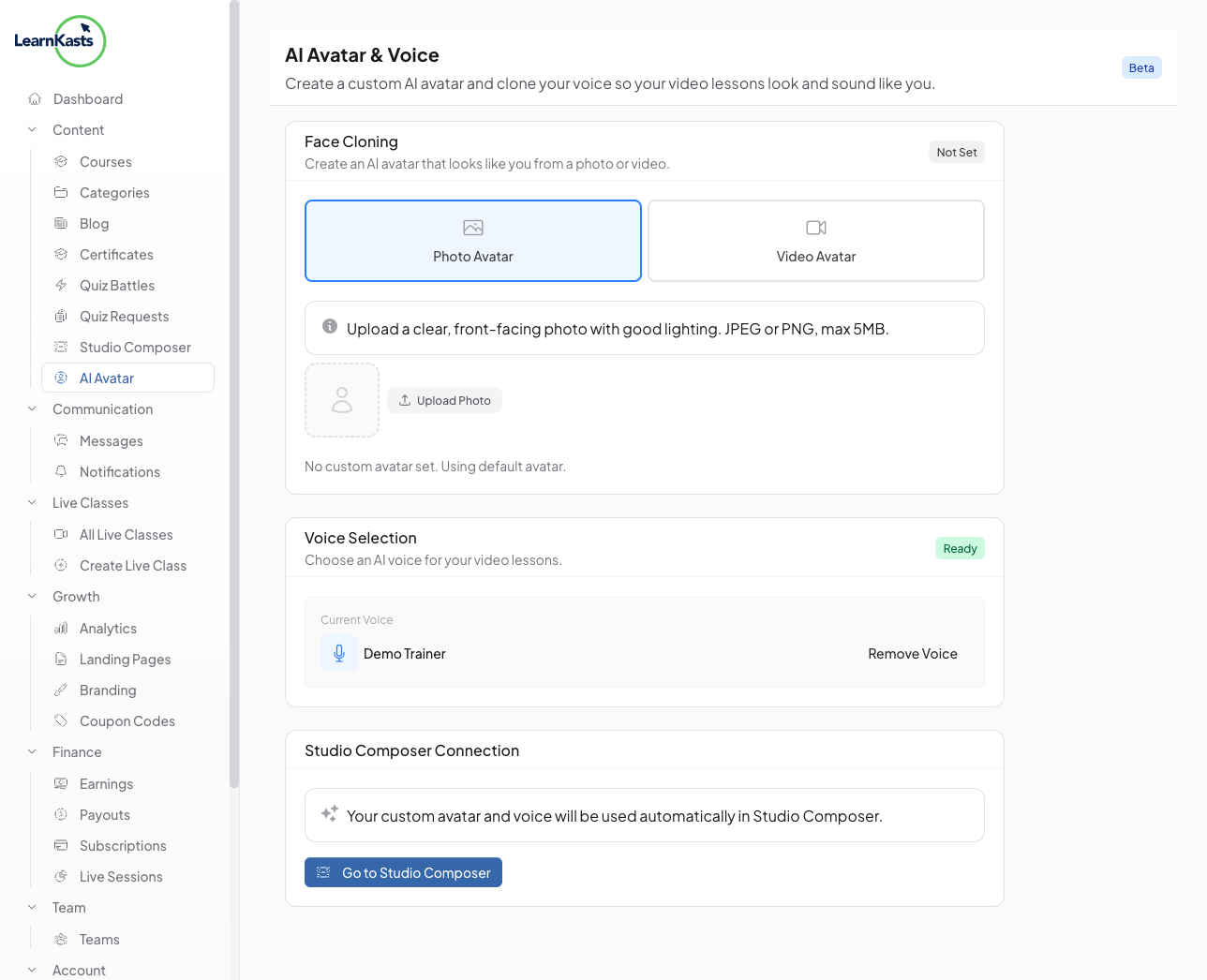
Choose a voice and mode
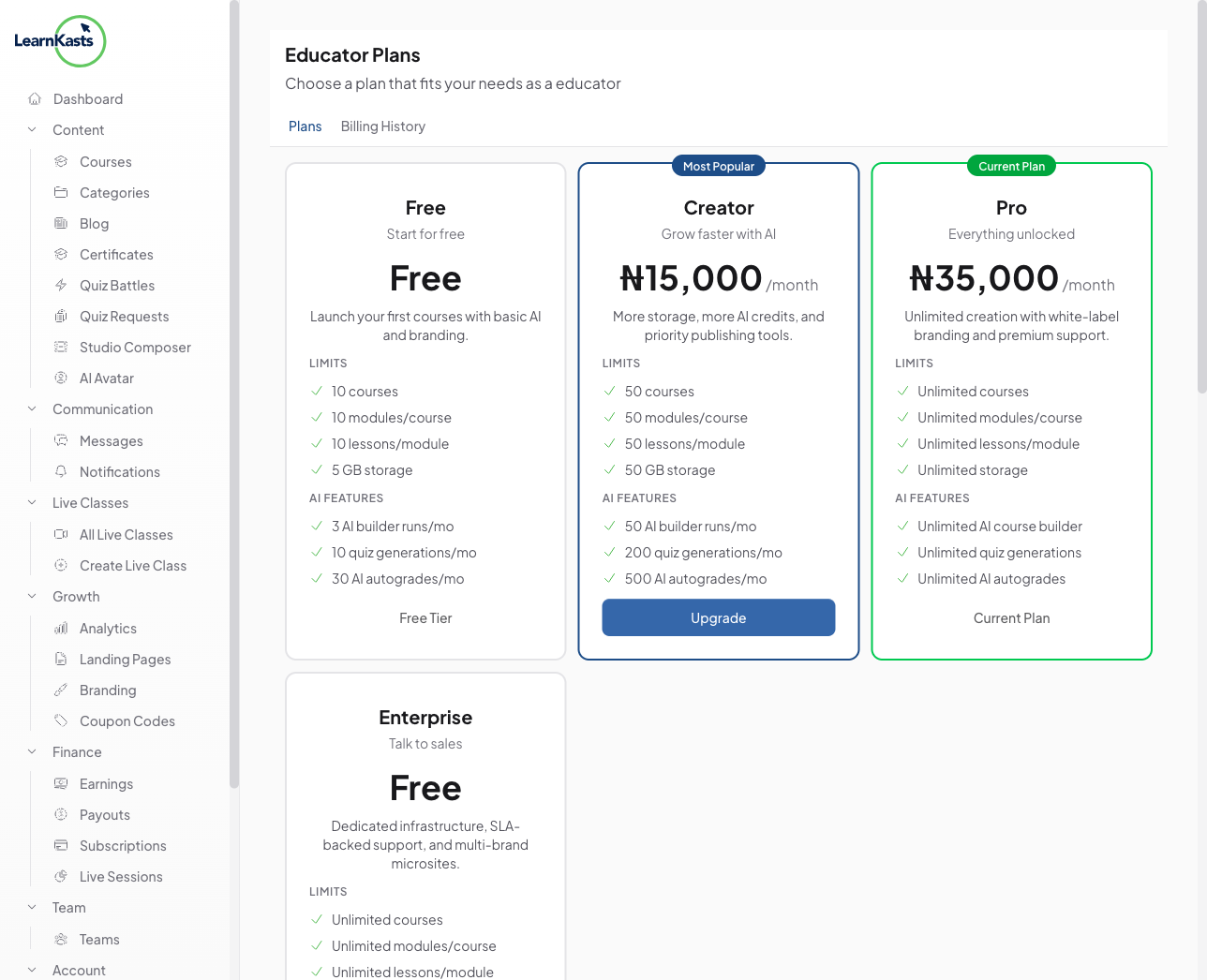
Select an AI voice for narration or use your own cloned voice (Creator plan and above). Pick between different presentation modes - slides, talking head, or mixed - to match your teaching style.
-
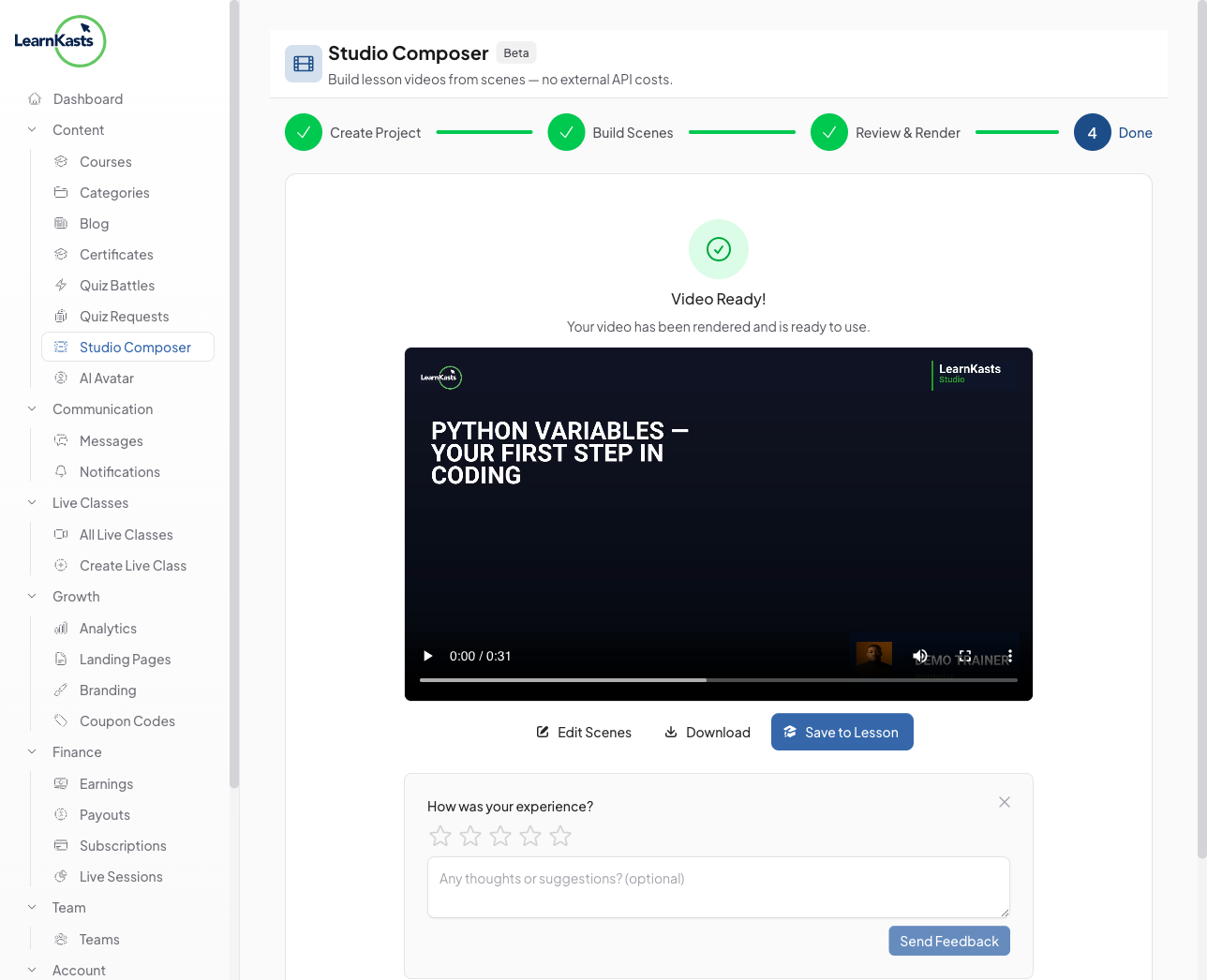
Review and render
Preview your complete video before rendering. When you're happy with the result, click "Render Video" to generate the final output. You'll receive a notification when it's ready to download or publish directly to your course.
-
Usage limits
Free plan educators can generate up to 3 scripts and 1 video render per month. Creator plan and above get higher or unlimited usage. Your current usage is displayed in the Studio dashboard.
Más guías
Guías para educadores
Guías paso a paso para crear cursos, dar sesiones en vivo y hacer crecer tu negocio de enseñanza.
- Getting started as an educator
- Creating your first course
- Building course curriculum
- Uploading video lessons
- Using AI to generate quizzes
- Creating quizzes and assignments
- Assignments and grading queues
- Hosting live sessions
- Creating and managing webinars
- Managing course cohorts
- Adding students to cohorts
- Setting up subscriptions
- Course reviews and ratings
- Issuing certificates
- Understanding course analytics
- Live session usage and billing
- Setting up payout methods
- Viewing revenue and payouts
- Setting up your educator subdomain
- Creating landing pages
- Using the visual page editor
- Adding page sections
- Page styling and branding
- AI Studio Composer
- AI Voice Clone & Avatar
- Traffic sources & UTM attribution
Guías para estudiantes
Todo lo que los estudiantes necesitan para explorar cursos, unirse a sesiones en vivo y seguir su progreso.
- Creating an account
- Browsing and finding courses
- Enrolling in a course
- Watching video lessons
- Taking notes during lessons
- Submitting assignments
- Taking quizzes
- Joining live classes
- Attending webinars
- Managing your subscriptions
- Viewing your certificates
- Writing course reviews
- Managing your orders
- Updating your profile
Equipo y administración
Gestión de equipos, permisos, facturación y herramientas administrativas para organizaciones.
¿Te ayudó esta guía?
Si necesitas a una persona real, nuestro equipo de soporte responde en lenguaje claro en un día hábil. Más rápido por WhatsApp.